claude code gui
Is there a GUI for Claude Code? Yes, several. Anthropic ships a desktop and web app, there are IDE extensions, and community projects wrap the CLI. crystl takes a different route: a native macOS app where every session is still a real Claude Code terminal.
The question worth asking is not whether a GUI exists. It is what you get when the thing is a real Mac app instead of a text interface in a pane or a page in a browser tab. That is what this page is about.
Free version available · upgrade for advanced features · macOS
Projects down the left, sessions across the top, one window. Every session is a real terminal running the Claude Code CLI.
a tui can only interrupt you where you already are
Claude Code's own interface is a TUI: a text interface drawn inside a terminal pane. It is fast, it works over ssh, and it is the right shape for one agent doing one thing while you watch.
Its limit is the pane. A TUI can only draw inside the rectangle it was given, so it can only tell you something when you are looking at that rectangle. Put three agents in three panes and the one that needs permission has no way to reach you. It waits, silently, until you happen to click over.
A browser tab has the opposite problem. It can draw a beautiful session list, but it is a page in a browser: it needs a server running somewhere, it does not hold your Keychain, and dragging a file into it means uploading rather than handing over a path. And when you want to run a build, you go back to the terminal anyway.
A native app can do the parts neither can. It owns real windows, floats panels over whatever has focus, holds secrets in the Keychain, accepts a dragged folder as a project, and still gives you a shell prompt when you want one.
what you get from a real mac app
Windows the OS knows about
Projects are tabs, sessions are tabs inside them, and a floating rail on the edge of your screen holds every open project. Click a project and it comes forward, badged red when something is waiting on you. That is window management the terminal cannot do for you and a browser tab cannot do at all.
crystal rail →Cards that float over anything
When an agent asks permission, the request appears as a glass card with allow and deny, colored to the session that asked, whatever you are looking at. A TUI can only draw inside its own pane, so it can only interrupt you where you already are.
floating cards →A GPU-drawn terminal engine
cavrn is crystl's own terminal engine, drawn on the GPU with Metal and built for a window holding many sessions streaming at once. Hidden sessions cost almost nothing to draw, and scrollback stays exactly as the agent wrote it when you resize.
cavrn →Keychain, drag-and-drop, click-to-open
API keys go in the macOS Keychain. Drag a folder onto the rail and it opens as a project. Drag a screenshot into a session and the agent gets the file. Cmd-click a path in the output and it opens. Small native affordances that a browser tab has to ask permission for.
api keys →Split panes and real shortcuts
Cmd + D splits a project into side-by-side sessions. Cmd works at the project level, Cmd + Ctrl at the session level, Cmd + Shift + F searches everything your agents have ever said. App-level shortcuts, not keystrokes a shell has to forward.
keyboard shortcuts →Still a terminal underneath
Every session is a full shell. git, npm, docker, ssh, and any other CLI agent all run in it. Nothing is reimplemented as a form, and you can ssh to a remote machine and keep the panels, drag-and-drop, and click-to-open working there.
remote development →what it looks like
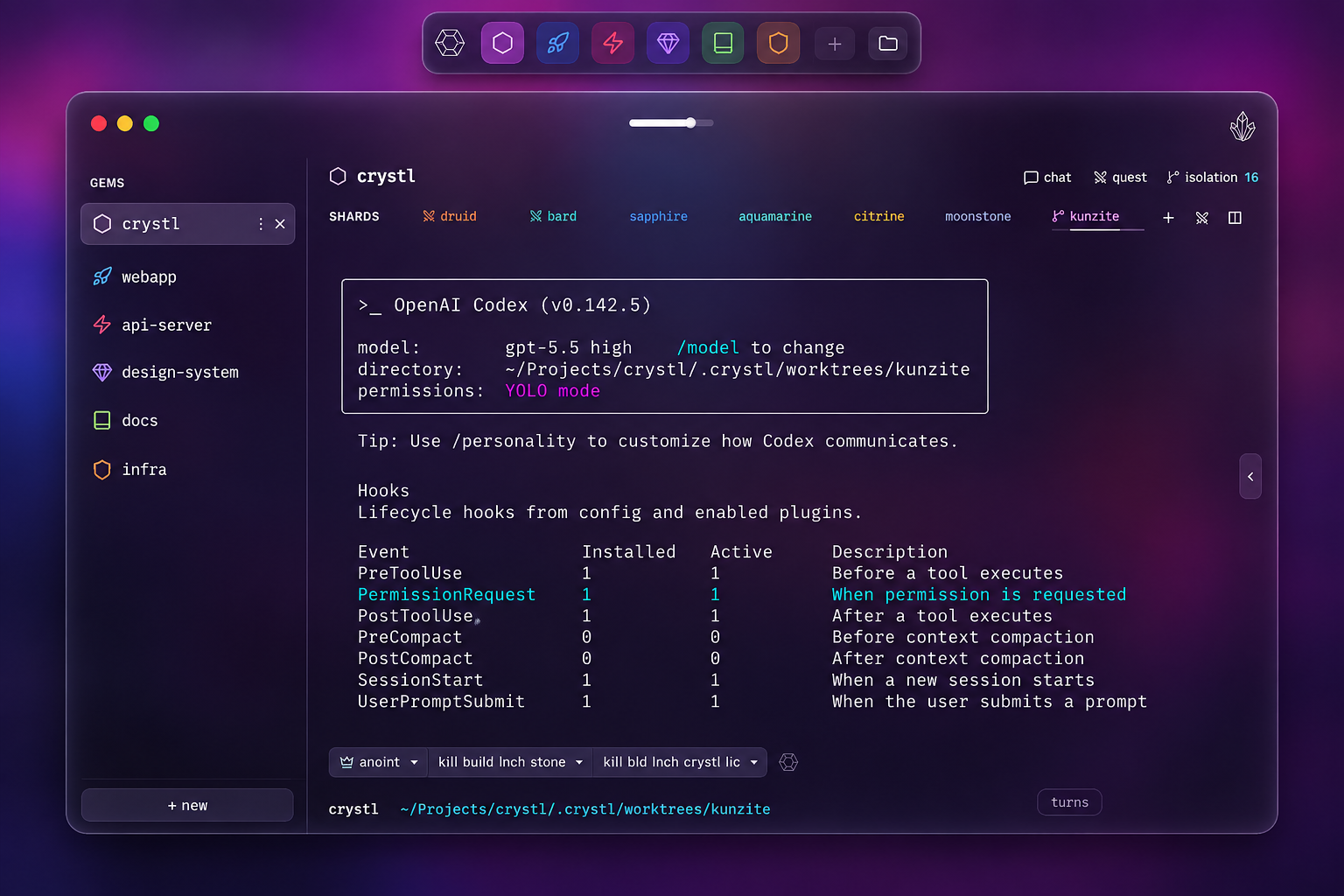
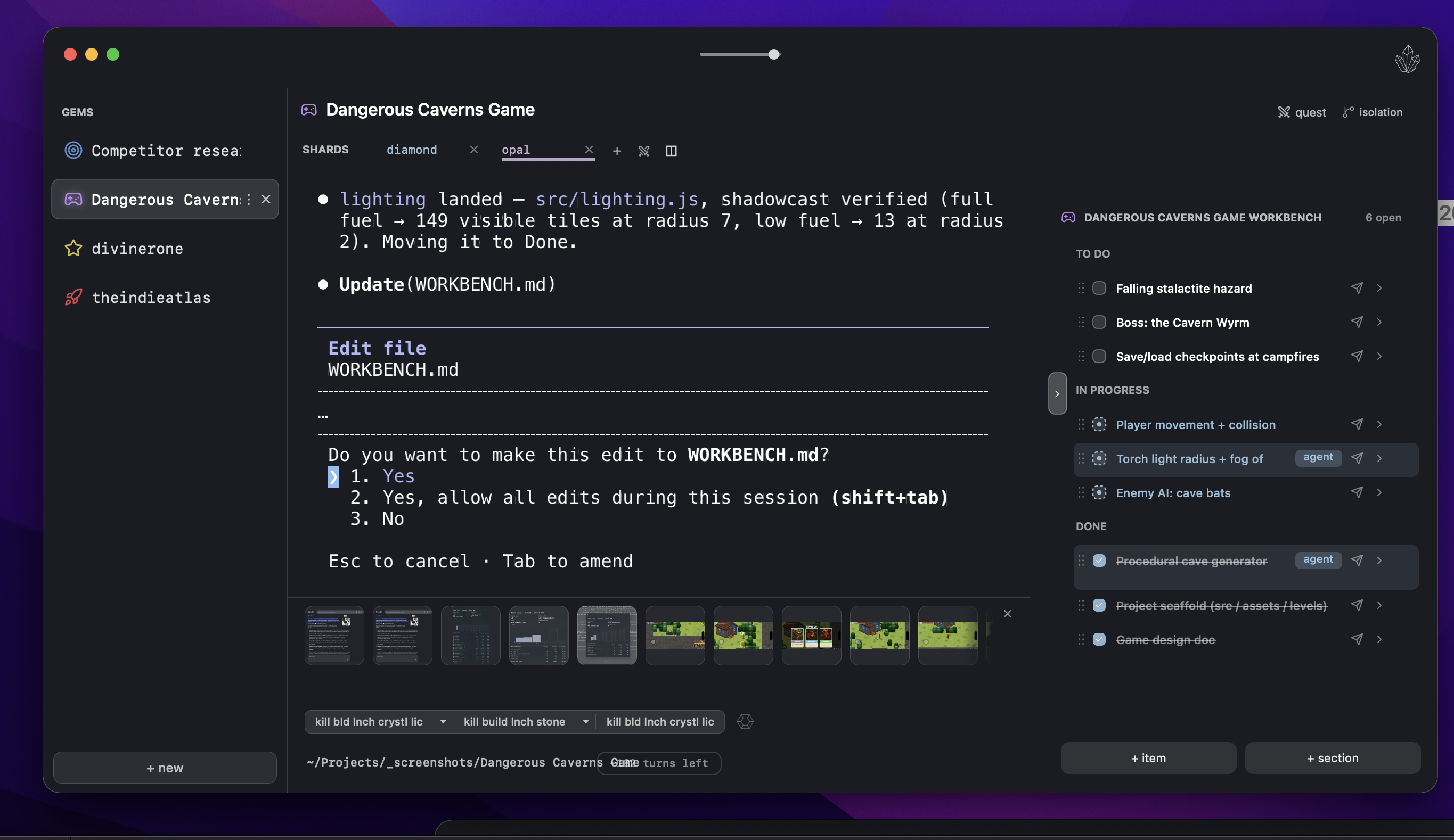
nothing is reimplemented
The reason to care whether a GUI wraps the CLI or replaces it: a wrapper built on the API has to rebuild every feature Anthropic ships, and it is always a version behind. crystl runs the CLI itself, so your CLAUDE.md, MCP servers,skills and plugins, plan mode, slash commands, hooks, and subagents work exactly as they do in any terminal. New Claude Code features arrive when you update Claude Code.
It is agent-neutral for the same reason. A session is a shell, so Codex, Antigravity CLI, or anything else you launch at a prompt runs in one. Approval and question cards need hooks, which Claude Code and Codex both support, so those work for both.
try it as your daily terminal
Create a free account and download crystl for macOS.
get started freegetting started guide →Frequently asked questions
- Is there a GUI for Claude Code?
- Yes, several. Anthropic ships a Claude Code desktop app for Mac and Windows and a web version at claude.ai/code, plus IDE extensions for VS Code and JetBrains. Community projects such as Claudia and claudecodeui wrap the CLI in their own interface. crystl is a native macOS app that keeps every session as a real terminal running the Claude Code CLI, and adds approval cards, parallel sessions, and per-session token tracking around it.
- What is the difference between a Claude Code GUI and the terminal?
- The terminal gives you one text surface per session, and everything you need has to fit inside it in the order it happened. A GUI can put things beside each other: a list of every running session, an approval request that floats over whatever you are doing, a folded tool call you can expand, a token count in the status bar. crystl keeps the terminal and adds those surfaces, rather than replacing the CLI with a chat box.
- Is crystl a Claude Code GUI or a terminal?
- Both. It is a native macOS terminal app, so every session is a real shell running the real Claude Code CLI with your CLAUDE.md, MCP servers, skills, plan mode, and slash commands unchanged. The GUI layer is what sits around the sessions: project tabs, the crystal rail, floating approval and question cards, split view, history search, and token tracking.
- Does a Claude Code GUI work on Windows or Linux?
- Anthropic's own desktop app covers Mac and Windows, and browser-based community GUIs run anywhere you can run a browser and the CLI. crystl is macOS only. It is a native Swift app and it uses macOS-specific features such as the Keychain for API key storage.
- Can a GUI run several Claude Code sessions at once?
- In crystl, yes. A project holds as many sessions as you want, and an isolated session gets its own git worktree and branch with dependencies installed, so several agents can work the same repository at the same time without overwriting each other. Each session tab shows how many commits its branch is ahead of the base.
- Do I lose Claude Code features by using a GUI?
- Not in crystl, because nothing is reimplemented. The CLI runs as it always does, so plan mode, slash commands, hooks, subagents, MCP servers, skills, and approval modes all behave the same. Wrappers that rebuild the interface around an API instead of the CLI are the ones to check on this, feature by feature.